
Help desk · CRM · Team inbox
Every customer conversation, in one place.
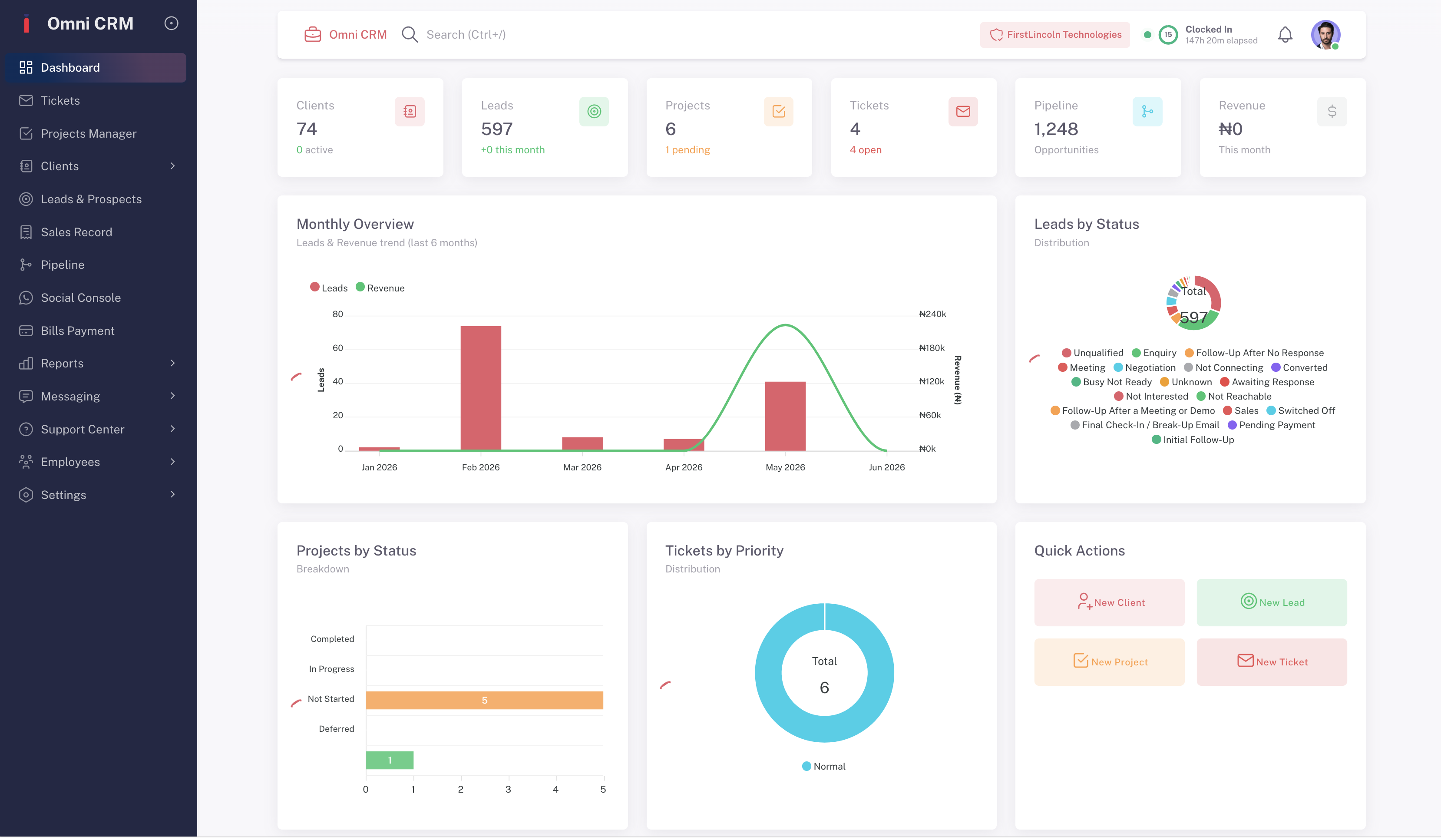
Omni Desk brings email, WhatsApp, social media and live chat into one shared inbox, with tickets, CRM, projects and reports built in. Your team answers faster, and nothing gets lost.
Pick a plan when you are ready.






 Available in Nigeria, the UK, the US, Canada and more
Customers message you everywhere. Answer them from one inbox.
Messages from every channel land in the same queue. Assign them, reply, turn them into tickets and see the full history of each customer, whichever channel they used last time.
How the inbox works →- Facebook Messenger
- X
- TikTok
- Telegram
- YouTube
- Google Business
- Live chat
- Phone calls
Everything a customer team needs
Start with the help desk and add the rest when you need it. It is one product, so your data lives in one place.
Help desk & tickets
Turn requests into tickets with owners, priorities, SLAs and a complete timeline.
Learn more →Social & messaging
WhatsApp, social media and live chat sit next to email, in the same queue.
Learn more →CRM & sales pipeline
Contacts, leads and deals, with every conversation attached to the customer.
Learn more →Projects & tasks
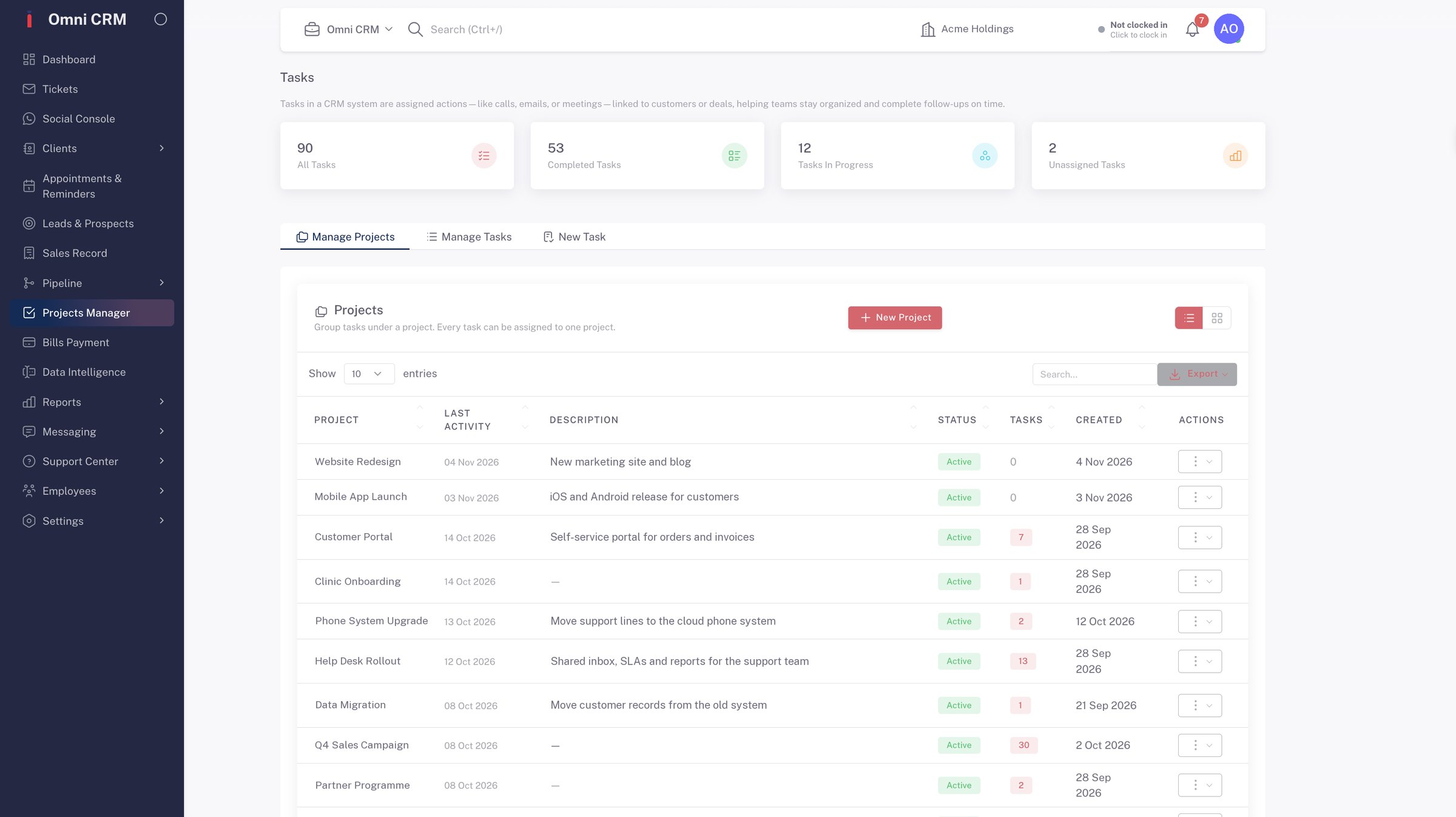
Plan the work you promised the customer, track milestones and share the load.
Learn more →Reports & dashboards
Response times, ticket volume, pipeline and revenue in reports your team can read.
Learn more →Automation & AI
Route, tag and follow up automatically, with AI agents to help your team reply.
Learn more →Follow every lead from first message to paid invoice
Leads from forms, chats and calls go straight into your pipeline. See who is following up, what was said and what happens next.
- Pipeline stages that match how you sell
- Calls, emails and SMS logged against each lead
- Follow-up reminders so no lead goes quiet

Run the work next to the customers it is for
Projects, milestones and tasks live in the same workspace as your clients and tickets, so delivery and support stay in step.
- Milestones and progress for every project
- Tasks assigned to people and teams
- Linked to the client record, not a separate tool
Built for how businesses here actually work
Priced in Naira
Plans are priced and billed in ₦. Visitors outside Nigeria see dollar prices.
WhatsApp in the same queue as email
Your customers' favourite channel isn't a separate app. Every chat is part of their history.
Control who sees what
Roles and permissions per team. The company admin decides who can view, edit or delete.
How do I get started with Omni Desk?
Getting started with Omni Desk is simple. Create your account at omni-desk.com, complete the guided setup wizard, and you'll have your pipeline, contacts, and first automation live within 30 minutes. No technical knowledge, no IT team, and no external consultant required. Our onboarding assistant walks you through every step from your first login.
What devices are compatible with Omni Desk?
Omni Desk works across all major platforms and devices. The desktop app is available for MacOS and Windows. The mobile app is available for iOS (iPhone and iPad) and Android. You can also access Omni Desk directly in any modern web browser without downloading anything. All your data syncs in real time across every device so you can move seamlessly between your phone, tablet, and desktop without losing any progress or context.
Omni Desk is fully optimized for all screen sizes — every feature available on desktop is equally accessible and functional on mobile, with no features locked behind a desktop-only wall.
How do I download the Omni Desk app?
The Omni Desk desktop app is available for download from our Getting Started page — choose MacOS or Windows and your download starts immediately.
The iOS app is available on the Apple App Store and the Android app is available on Google Play.
Search for "Omni Desk" on either store, install the app, and log in with your existing account — your entire CRM syncs instantly with no additional setup required.
How do I update Omni Desk to the latest version?
Desktop app updates are delivered automatically — Omni Desk checks for updates in the background and installs them silently so you're always running the latest version without any manual action.
Mobile app updates are delivered through the App Store and Google Play — enable automatic updates on your device to receive new features and improvements as soon as they're released. You can also check your current version and manually trigger an update from the Settings panel inside Omni Desk at any time.
Get started with Omni Desk for free
Set up your inbox, invite your team and see it with your own customers.